A generated shot arrives at the length the model chose. Five seconds, maybe ten, at whatever pace the motion came out. When the cut needs that moment to last longer, you are stuck with the take or a new generation.
Frames that were never shot
A clip is a fixed number of pictures. Play a 30 fps clip at half speed and every picture sits on screen twice as long, and the eye reads the gaps as judder. At a quarter speed the shot turns into a slideshow.
Slow motion in Cask Film fills those gaps. Between every pair of frames it works out how things moved and draws the frames that would have been there. The result plays at the clip's own frame rate, so a 2× version is twice as long and as fluid as the original. Pigeons that crossed the frame in a blur now beat their wings across it.
Open the sheet
Select a clip on the timeline and choose Slow motion from the Tools menu. It is also in the clip's right-click menu and in the inspector's Tools tab, and it works on a video card on the canvas as well.
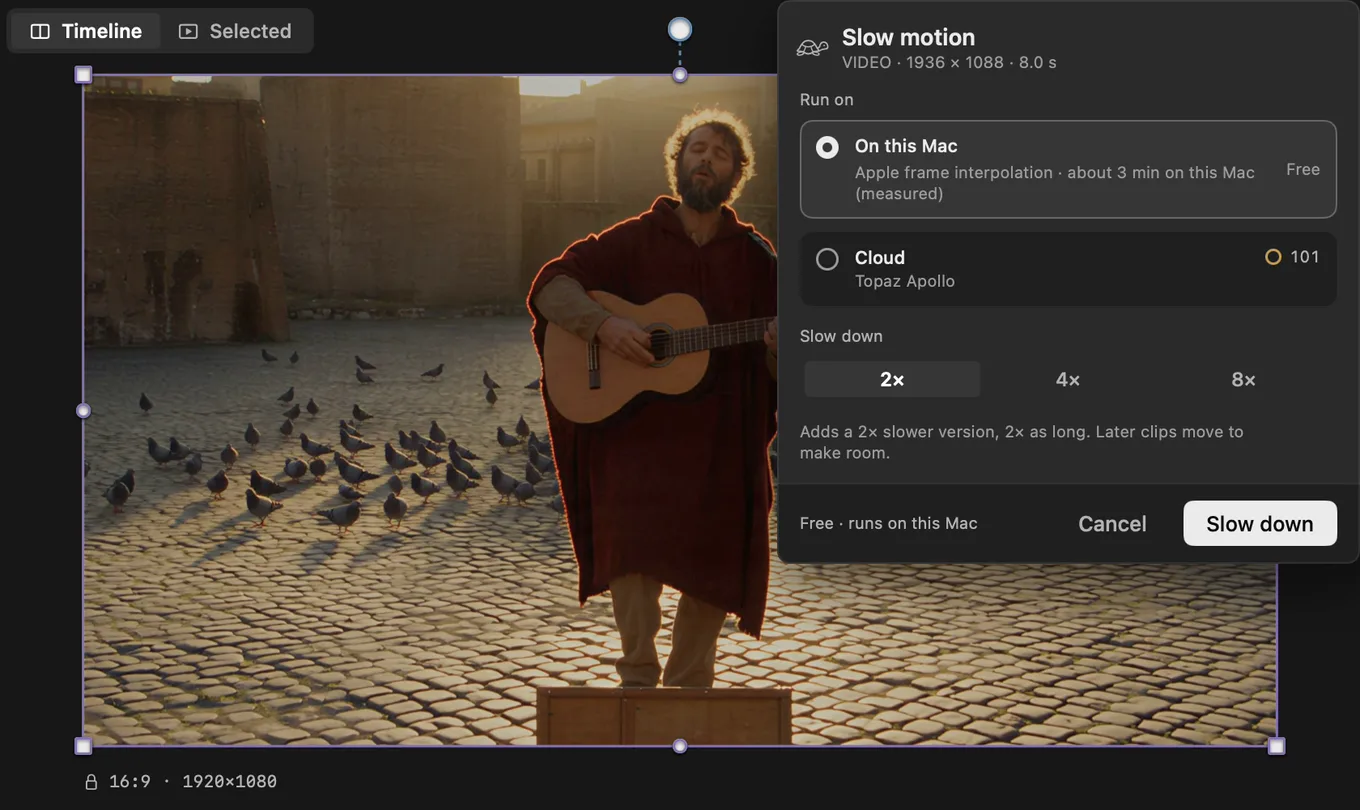
Slow down is the factor: 2×, 4× or 8×. The line under it spells out what you get before you commit.
Run on is where the work happens.
- On this Mac uses Apple's frame interpolation, built into macOS. Nothing to download. It runs free, and the sheet tells you roughly how long it will take on your machine before you start.
- Cloud uses Topaz Apollo. It shows its price before it starts.
Pick one and press Slow down.
What lands on the timeline
The clip doubles in place. An 8-second shot becomes a 16-second shot, carrying a 2× slow badge, and everything after it on the track slides along to make room.
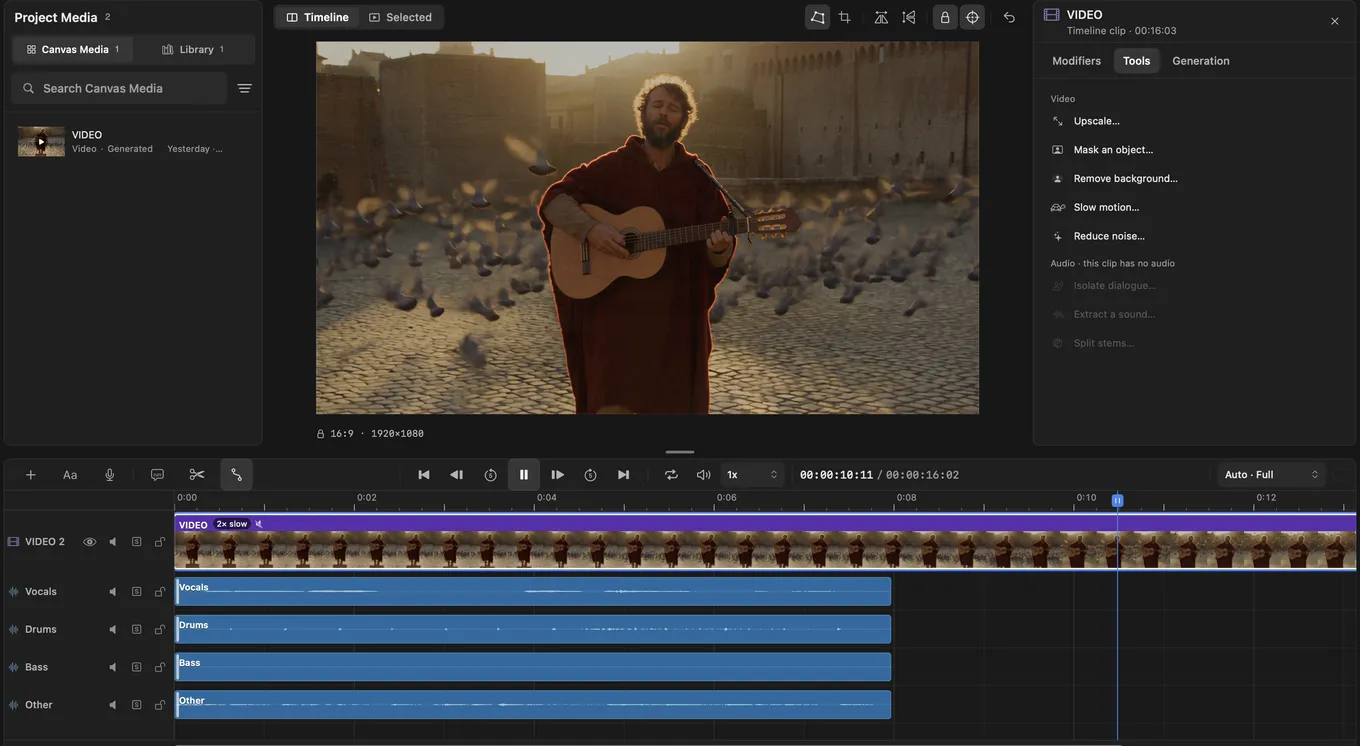
The slowed version is picture only. Audio stretched to twice its length sounds wrong, so Cask Film leaves it out, and what plays under the slow shot is your call. Sound already on its own lanes is left alone. In the capture above, the four lanes split from the original clip still end at 8 seconds while the picture carries on.
The slowed take is a new version of the clip, not a replacement. The inspector's Source section lists Original beside Slow motion 2×. Switch between them, press Compare for a split wipe in the viewer, or delete the version you do not want. Switching and deleting are one step each in your history, so Undo takes either back.
When to reach for it
To fit a beat. The music lands its hit at 7 seconds and your shot is 5 seconds long. Regenerating for length is a gamble on a different take. Slow the take you already like and trim it to the bar.
To hold a moment. The look between two characters. The last step before the cliff. Generated performances move at one speed. At 2× the moment gets room to land, and the audience gets time to feel it.
To make a hero shot. The car through the spray, the dancer at the top of the jump. Some frames deserve to be looked at. At 4× or 8× a two-second action becomes the shot people remember from the film.
To get more from one generation. One 5-second take at 2× gives you 10 seconds of usable footage at the same smoothness. Cut the slow version against the original and one shot covers two beats.
A few things worth knowing
Slow motion works on the part of the clip you are using, so trim first and you only process what you keep.
On-device slow motion comes with paid plans and needs a Mac with Apple silicon. If your Mac cannot handle a clip's size, the sheet says so and points you to Cloud.
Or ask for it
Cask MCP connects Cask Film to Claude and Codex, and it is on every plan.
"Slow the second shot down to 4×."
The agent finds the clip, runs Slow motion on it and tells you when the new version is on the timeline.
Slow motion is in Cask Film now.